 Skip to content

Diagnostic Car Computer Scanner: Choose & Use in McKinney
Direct answer: A diagnostic car computer scanner reads a vehicle’s onboard computer (ECU/ECMs) to show fault codes, live sensor data, and freeze-frame captures so you can diagnose drivability, emissions, and safety-system faults. For complex systems (airbags, immobilizers, module programming) a professional with dealer-level tools is recommended.
Key Takeaways
- A diagnostic car computer scanner talks to your car’s OBD-II port to pull DTCs (fault codes) and live data.
- There are basic code readers, enhanced OBD-II scanners, and dealer-level tools—each does different jobs.
- Computer software for car diagnostic (PC/smartphone apps) adds graphs, logging, and sometimes module configuration.
- Always verify frozen data and live PIDs before clearing codes; some systems (SRS, immobilizer) need specialist tools.
- In McKinney, mobile pros can perform advanced diagnostics, module programming, and safety-system resets on-site.
What is a diagnostic car computer scanner?
A diagnostic car computer scanner (also called a scan tool or code reader) is a device or software that communicates with the vehicle’s ECU(s) using the OBD-II port or manufacturer-specific connectors. It reads Diagnostic Trouble Codes (DTCs), freeze-frame snapshots, and live sensor values (PIDs). That data helps pinpoint seized sensors, failing actuators, wiring problems, or software issues.
Common names you’ll see
- Car diagnostic computer software — Windows/macOS programs that pair with a pass-thru device.
- Diagnostic computer car / computer diagnostic car — different word order but same idea: a system for reading car computer data.
- Computer for diagnostic car — the hardware + software used for deeper scanning and programming.
How diagnostic scanners actually communicate
Most cars built since 1996 use the OBD-II 16-pin connector under the dash. The scanner negotiates a protocol (CAN, ISO9141, KWP2000, etc.) and requests data. Modern vehicles often have multiple networks (CAN high-speed for engine, CAN low for body, LIN for small devices). A good technician reads codes from every relevant module, not just the engine ECU.
Quick primer on key terms
- DTC (Diagnostic Trouble Code): a standardized code like P0171 that points to a system and fault type.
- PID (Parameter ID): live sensor values such as engine RPM, fuel trims, O2 voltage, MAP pressure.
- Freeze frame: a snapshot of engine conditions when the code set—helps reproduce the problem.
- Bi-directional control: the scanner can command actuators (open a relay, run a fuel pump) to test parts.
- J2534 pass-thru: a standard that lets PC software talk to modules for reprogramming.
Types of scanners and software — which one do you need?
Choosing the right scanner or car computer diagnostic software depends on the job. Below is a comparison to help match tool to task.
| Tool type | Best for | What it can do |
|---|---|---|
| Basic code reader | DIY checks | Read/clear engine codes, basic live data |
| Enhanced OBD-II scanner | Home mechanic | More PIDs, graphing, ABS/SRS codes for many makes |
| Professional bi-directional tool | Shops, advanced troubleshooting | Actuator tests, module access, advanced live data |
| Dealer/OEM level | Programming & manufacturer features | Full module programming, coding, immobilizer sync |
| PC software + pass-thru (J2534) | Reprogramming, logging | OEM reflashes, long data logging, scripting |
Steps for running a proper scan (what pros do)
- Connect to the OBD-II port and check scanner compatibility with the car’s protocols.
- Read all stored and pending DTCs from engine, transmission, ABS, SRS, body modules.
- Capture freeze-frame data; note mileage, engine load, coolant temp, throttle position.
- Monitor live PIDs while the symptom is present—watch fuel trims, misfire counts, O2 sensors.
- Use bi-directional tests to actuate suspect parts (injector pulse, fuel pump prime) and compare behavior to expected ranges.
- Inspect wiring and connectors if data is intermittent or values are out of range—many faults are wiring clips, corroded pins, or poor grounds.
- Address the root cause, then verify with a re-scan. Don’t clear codes before confirming the repair; you’ll lose freeze-frame evidence.
When car computer diagnostic software matters
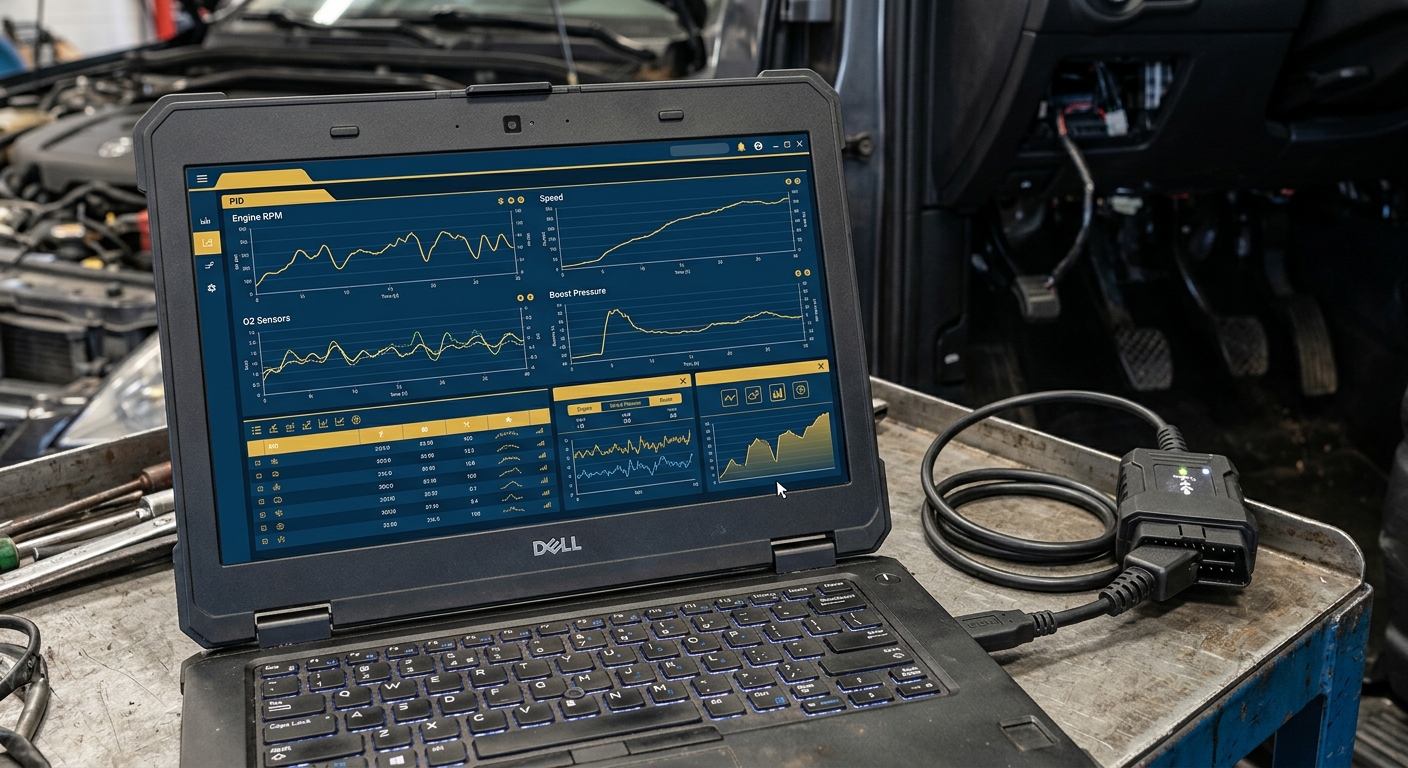
Simple Bluetooth dongles and phone apps are fine for a quick check, but car computer diagnostic software on a laptop becomes necessary when you need:
- Long-term data logging to catch intermittent faults.
- Module programming, ECM reflashes, or immobilizer synchronizations.
- Detailed oscilloscope-like graphs and report exports for complex drivability or electrical issues.
Safety systems, airbags, and diagnostics
SRS/airbag modules and seat belt pretensioners store crash data and DTCs. These systems can show a yellow or red warning light and may require module replacement or a qualified reset. If an airbag light is present, avoid disconnecting batteries or replacing parts without a proper scan, because many diagnostics require special tools or module resets that are regulated for safety. For professional assistance, we provide vehicle safety system services and a mail-in option for airbag module resets: vehicle safety system services and mail-in airbag module reset (nationwide).
Practical examples you’ll find using a scanner
- Intermittent misfire: misfire counters and O2 response confirm whether it’s ignition, fuel, or compression.
- Check Engine light after gas fill-up: evaporative system monitors and fuel cap pressure tests show leaks.
- ABS light after a wheel sensor failure: live wheel speed sensors reveal a bad tone ring or corroded connector.
- Airbag light after a minor crash: SRS codes need a calibrated reset or module replacement.
DIY tips for McKinney drivers
- Always park on level ground with the parking brake engaged before connecting tools.
- Take photos of connector pins and harness routing before unplugging anything—helpful for refitting and for techs you might call later.
- If you see sporadic CAN bus errors, check battery voltage and main ground straps—low voltage looks like intermittent sensors to the scanner.
- When using computer diagnostic for car on a laptop, use a quality pass-thru device and match the software version to the vehicle’s model year.
When to call a pro in McKinney
If the issue involves module programming (ECU/TCU reflashes), immobilizer or key relearns, SRS/airbag module faults, or you can’t reproduce the fault with live data, bring in a mobile technician. We offer on-site diagnostics and advanced programming that require dealer-level access: on-site mobile services overview.
FAQ
Q: Can I use a smartphone as a diagnostic car computer scanner?
A: Yes for basic checks. Bluetooth OBD-II dongles plus smartphone apps can read engine codes and some live data. For advanced work (module coding, reflashes, SRS resets) a professional-grade scanner or PC software is required.
Q: What does a code like P0301 or P0420 mean?
A: DTCs follow a standard format: P/B/C/U + four digits. P0301 = cylinder 1 misfire detected (engine performance). P0420 = catalyst efficiency below threshold (emissions). The letter shows the system (P=powertrain) and the digits narrow the fault.
Q: Will clearing codes fix the problem?
A: No. Clearing codes removes the stored fault but not the underlying issue. Always diagnose and repair the cause, then confirm the code does not return under the same conditions.
Q: Is computer diagnostic for car the same as module programming?
A: No. Diagnostics reads and tests systems; module programming changes software or configurations inside modules. Programming often requires manufacturer tools or a J2534 pass-thru and should be done by trained pros.
Q: How much does a professional diagnostic scan cost?
A: Pricing depends on your vehicle and the depth of diagnostics required. Call (469) 277-7277 to describe the symptom and get a quote.
Need help in McKinney diagnosing a tricky fault or performing module programming? For advanced reprogramming and in-depth diagnostics, our mobile module programming team can come to you or work with your vehicle on-site. Learn more or schedule service here: mobile module programming services. Call (469) 277-7277 to discuss your vehicle and get a price estimate.


