 Skip to content

Ford OBD Scanning: How Ford-Specific Diagnostics Work, Which Tools Fit, and When to Get Professional Help
If you own a Ford truck, SUV, or sedan in Grapevine or the greater DFW area, you’ve probably seen the check engine light or another warning pop up at some point. Grabbing a cheap code reader is tempting, but Ford OBD scanning is more than pulling a single P-code and guessing at a part.
LockNCal brings mobile automotive locksmith, airbag, ADAS and module programming service to you. On-site: $0 today, pay after the job. Book online & see your price in 60 seconds or call (469) 277-7277.
Ford uses multiple networks, extra modules, and manufacturer-specific data that most basic tools never touch. Done correctly, scanning helps you make smart, safe repair decisions. Done wrong, it can erase critical data, waste money, or leave a safety system in a dangerous state.
Below, I’ll walk you through how Ford-specific diagnostics work, which tools make sense for DIY, how to scan step by step, and when it’s time to schedule a professional Vehicle Diagnostic in Grapevine TX instead of pushing your luck at home.
What Is Ford OBD Scanning and How Is It Different From Generic OBD-II?
When most people say “OBD scan,” they’re thinking of a cheap handheld reader or phone app that shows engine codes. On a Ford, that’s only one piece of the puzzle. Ford OBD scanning means accessing not just the engine computer but also ABS, SRS/airbag, body, transmission, and other modules spread across multiple networks.
Standard OBD-II vs Ford enhanced diagnostics
Standard OBD-II (what generic readers use) is mainly about emissions. It’s designed to talk to the PCM (Powertrain Control Module) to check for problems that could increase tailpipe pollution or affect drivability. That’s where you see codes like:
- P0300–P0308 – Misfire codes
- P0171/P0174 – System too lean
- P0420/P0430 – Catalyst efficiency
On a Ford, that’s just one module. Enhanced Ford-specific diagnostics can also talk to:
- ABS module – wheel speed, traction control, stability
- SRS/airbag module – airbags, seatbelt pretensioners, crash data
- BCM (Body Control Module) – lighting, locks, wipers, interior electronics
- TCM (Transmission Control Module) – shifting, torque converter, solenoids (sometimes integrated in PCM)
- Instrument cluster, steering, ADAS camera/radar modules on newer models
A basic parts-store reader typically only talks to the PCM and maybe the TCM. It usually cannot see ABS, SRS, or BCM faults — which is exactly where many Ford problems live.
Why some Ford modules do not appear on basic code readers
If you’ve plugged in a cheap Ford OBD-II scanner and only seen a handful of modules (often just “Engine” and maybe “Transmission”), that’s normal. Many budget tools:
- Support only the emissions-mandated OBD-II side
- Do not support Ford’s body, chassis, or network protocols
- Cannot switch networks to talk to different modules
The result: your ABS light, airbag light, or other warning may be on, but your tool reports “No DTCs” because it never actually asked the correct module.
Ford protocols, network architecture, and why HS-CAN/MS-CAN matters
Most modern Fords use multiple CAN networks, mainly:
- HS-CAN (High-Speed CAN) – Engine, transmission, ABS, some safety-critical modules
- MS-CAN (Medium-Speed CAN) – Body electronics like BCM, instrument cluster, audio, some comfort features
A proper Ford scan tool or FORScan-compatible adapter can switch between HS-CAN and MS-CAN to reach all modules. Many generic Bluetooth dongles are locked to only one bus or don’t switch properly, which means:
- You never see body or network-related fault codes (B-codes and U-codes)
- Your “full scan” is actually just a partial engine scan
- Intermittent electrical and communication issues go undetected
This is why HS-CAN/MS-CAN support is critical if you’re serious about Ford-specific diagnostics.
Explain Ford-Specific OBD-II Scanning, Recommended Tools, and When to Escalate
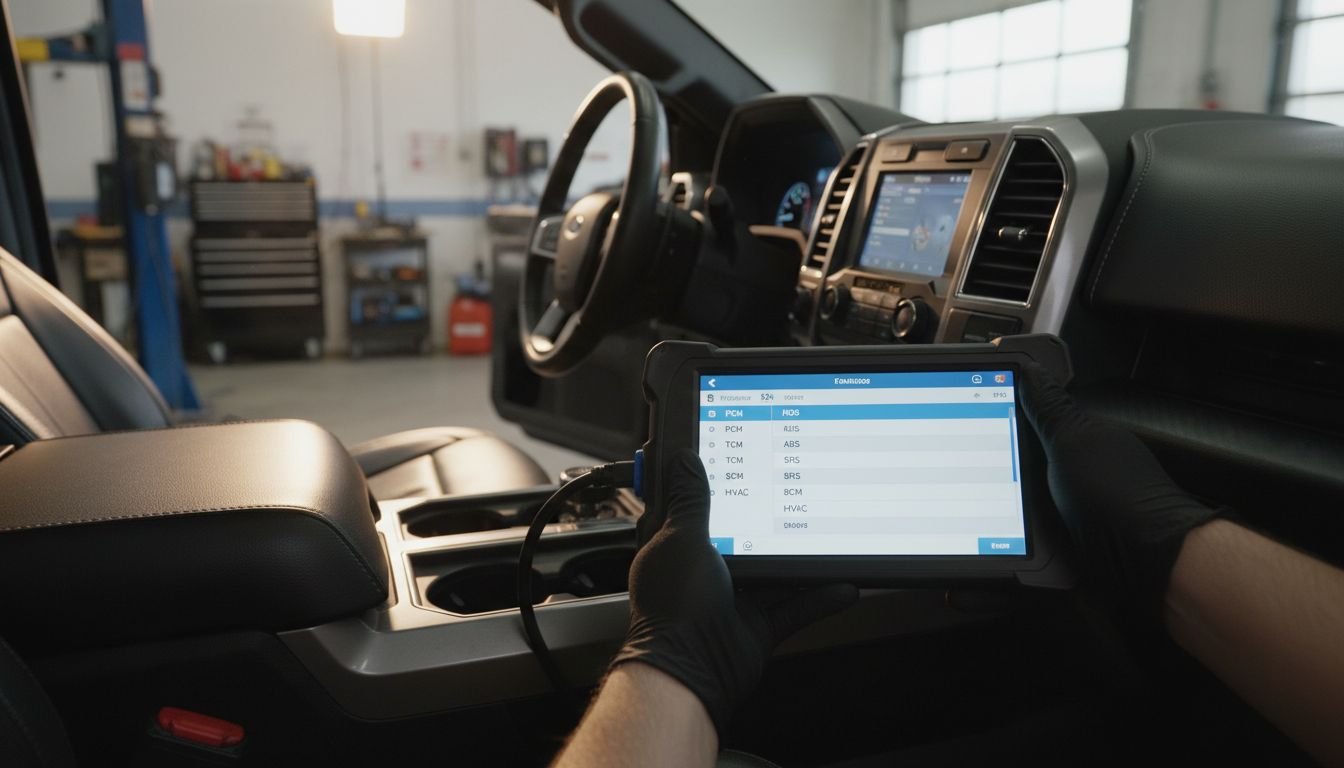
To get reliable results from Ford OBD scanning, you need to understand the basics of Ford protocols, common code families, and the limitations of your tool. Then you can decide when DIY is okay and when it’s time for shop-level diagnostics.
Ford protocol basics the reader needs to know
Without going too deep into engineering language, here’s what matters for DIYers:
- Most 1996+ Fords support standard OBD-II for emissions.
- Newer Fords use multiple CAN buses (HS-CAN and MS-CAN) to link modules.
- Modules talk to each other; when one fails, others may set U-codes (communication faults).
- Some functions (like steering angle or ADAS calibrations) require bidirectional control and are not safe to perform with cheap tools.
Common Ford fault code families and what they usually mean
On a Ford, you’ll see four major code families:
- P-codes (Powertrain) – Engine, fuel, ignition, emissions, and automatic transmission
- Example: P0302 – Cylinder 2 misfire
- Example: P0456 – Small EVAP system leak
- C-codes (Chassis) – ABS, traction control, steering, suspension
- Example: C1234 – Wheel speed sensor circuit issue
- Example: steering angle or yaw sensor faults (often show up after suspension or alignment work)
- B-codes (Body) – Locks, lighting, airbags, interior electronics
- Example: B00xx range – seatbelt or airbag circuit faults
- Example: BCM-related lighting or power window issues
- U-codes (Network) – Communication problems between modules
- Example: U0100 – Lost communication with ECM/PCM
- Example: multiple U-codes pointing to a wiring or module power issue
Important: These codes point you in a direction, but they are not automatic proof that a specific part is bad. A code for an O2 sensor, for example, might be caused by wiring damage, exhaust leaks, or fuel trim issues, not always the sensor itself.
Recommended scanner types: basic reader vs enhanced adapter vs shop-grade scan approach
For Ford owners in North Texas, I typically break tools into three levels:
- Basic code reader
- Reads and clears generic P-codes only
- Good for quick checks on a check engine light Ford when you just need to know if it’s emissions related
- Cannot see ABS, SRS, BCM, or many U-codes
- Ford-friendly enhanced adapter
- Bluetooth or USB adapter that supports HS-CAN and MS-CAN and works with Ford-focused software
- Can run a full module scan on most late-model Fords
- Best choice for serious DIY diagnostics if you’re comfortable reading data and service info
- Shop-grade scan solution
- Used in professional settings for deep-level access and testing
- Handles Module Programming, ADAS Calibration, steering angle resets, and advanced bi-directional tests
- Overkill for most DIYers, but this is what we use when you schedule a professional Vehicle Diagnostic in Grapevine TX
What to look for in a vehicle diagnostics test kit
If you’re building your own Ford-focused setup at home, your “vehicle diagnostics test kit” should include:
- A FORScan-compatible adapter that supports HS-CAN/MS-CAN switching
- Stable power source (don’t do long scans on a weak battery)
- Access to accurate service information (factory procedures or high-quality manuals)
- A way to record or screenshot codes and freeze-frame data before changing anything
A bargain-bin adapter that drops connection during a write operation or module test can cause more headaches than it solves.
Step-by-step Ford scan walkthrough
Here’s a practical workflow that works on most Fords:
- Verify battery health – Ford modules are sensitive to low voltage. If the battery is weak, put it on a charger before scanning.
- Locate the OBD-II port – Usually under the dash on the driver’s side.
- Connect your Ford OBD-II scanner or adapter – Make sure the ignition key is in the correct position (usually ON, engine off, unless software says otherwise).
- Select the correct vehicle – Year, model, engine, and VIN if requested. Using a VIN decoder like this one can help confirm exact trim and engine.
- Run a full module scan – Not just “engine only.” Look for a function like “Auto-scan” or “All modules.”
- Save results – Export or write down all P, C, B, and U-codes, along with freeze-frame data.
- Check for patterns – Multiple modules losing communication? Repeated misfire on the same cylinder? ABS and steering codes together?
- Address basics first – Power, grounds, fuses, obvious damage. Don’t jump straight to module replacement.
- Road test and rescan – After repairs or checks, drive the vehicle under similar conditions, then rescan all modules to see what returns.
How to interpret pending, stored, history, and manufacturer-specific codes
Your results will usually include different code types:
- Pending – The PCM or module saw something once or twice, but not enough to command a light yet. Good for catching early problems.
- Stored/active – Conditions met enough times to set a code; may or may not turn the light on depending on system.
- History – Past faults that may be related to intermittent or fixed issues.
- Manufacturer-specific – Ford-only meanings, often requiring service info to interpret correctly.
Do not clear codes until you’ve saved them. Once erased, that initial data is gone, which can make a professional diagnosis harder if you end up in a shop later.
When scanning results point to a wiring, module, or programming issue
Your DIY scanner is telling you it’s time for professional help when you see:
- Multiple modules with U-codes (communication faults)
- Codes that mention internal module failure or configuration errors
- New parts that will not communicate until configured or programmed
- ADAS camera, radar, or steering angle faults following collision work, windshield replacement, or suspension repair
These are situations where a shop-grade Ford scan tool, Module Programming, or ADAS Calibration may be required, not just parts swapping.
Common Symptoms That Make Ford Owners Reach for an OBD Scanner
In Grapevine and across DFW, I see the same patterns: long commutes, heavy traffic, and hot summers push Ford trucks and SUVs hard. Here’s when people usually reach for a scanner.
Check engine light
The most common trigger. On a Ford, a check engine light can come from:
- Misfires (ignition coils, spark plugs, injectors, compression issues)
- EVAP leaks (loose gas cap, cracked hoses, leaking purge/vent valves)
- Fuel trim and air metering problems (O2 sensors, MAF, vacuum leaks)
- Transmission-related P-codes
A basic OBD-II reader can usually see these, but again, the code is the starting point, not the final answer.
ABS, traction control, or airbag warning lights
These are safety-related. Typical Ford causes include:
- ABS/traction lights – Bad wheel speed sensors, damaged wiring, tone ring issues, steering-angle sensor problems
- Airbag/SRS light – Faulty seatbelt pretensioner circuits, seat occupancy sensors, clock springs, or stored crash data
Safety Warning: SRS/airbag systems use pyrotechnic devices (explosives) to deploy airbags and tighten seatbelts. They are not safe to probe casually with test lights or improvised methods. If your Ford scan tool shows SRS codes, it may require SRS Airbag Module Reset, Mail-In Airbag Module Reset, or Airbag Module Programming depending on the situation and crash history. DIY trial-and-error around live restraint systems can cause injury or improper deployment in a real crash.
Rough idle, misfire, poor shifting, or no-start concerns
Ford trucks and SUVs that tow, idle in traffic, or see a lot of stop-and-go in DFW heat often show:
- Misfire codes (P030x), especially on high-mileage engines
- Transmission slip or shift codes during towing or hot weather
- No-start with P-codes and U-codes mixed together, hinting at power/ground or network issues
Here, scanning helps you separate a simple ignition or fuel problem from a deeper control or wiring failure.
Intermittent electrical faults and battery-related communication issues
Low battery voltage, loose grounds, or corroded connectors can cause a storm of U-codes and odd behaviors: flickering clusters, random warning messages, modules going offline. A quality scan with full module coverage can show you which modules are dropping out and when, but tracking the root cause usually goes beyond plug-and-play DIY.
How to Scan a Ford Step by Step at Home
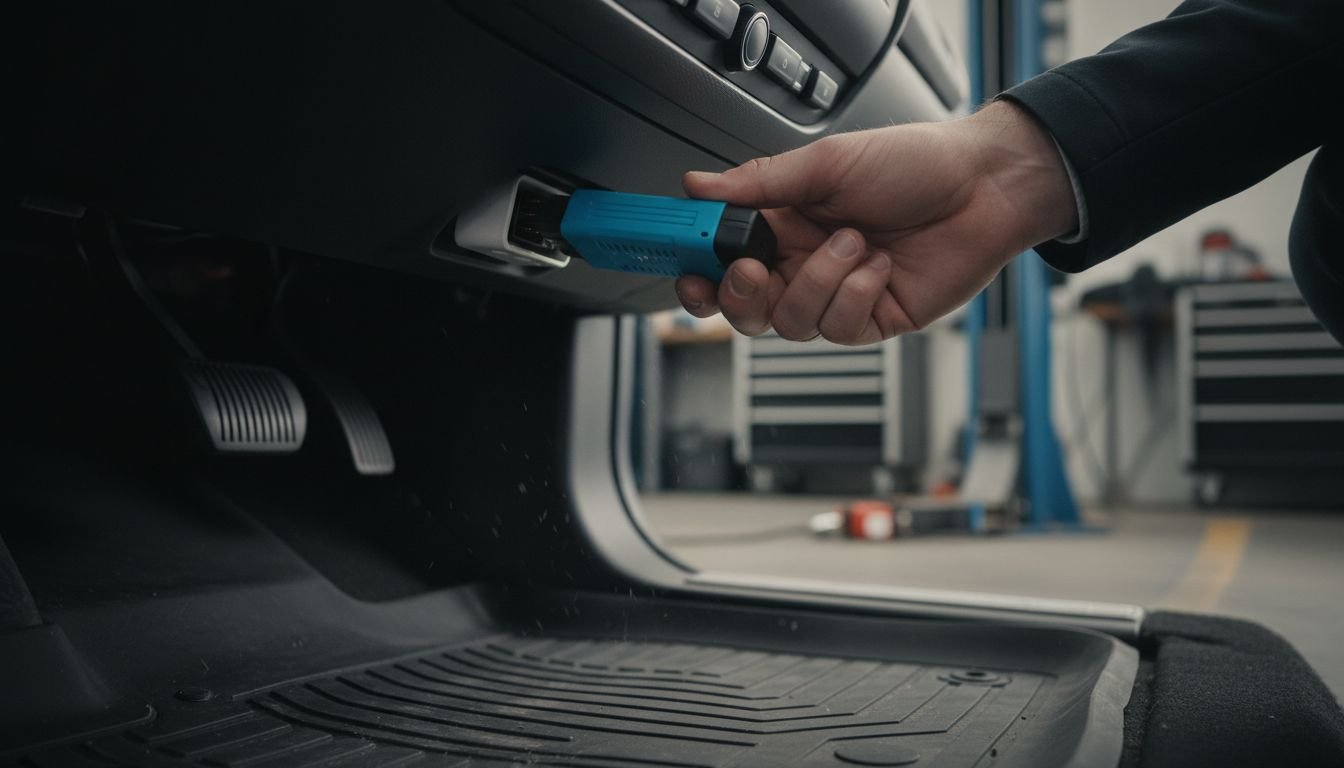
If you want to handle the first round of diagnostics yourself, here’s a clear, safe process you can follow in your driveway in Grapevine.
Find the OBD-II port and confirm battery voltage
- Locate the OBD-II port under the driver’s side dash; on most Fords it’s near the steering column.
- Check battery condition with a meter or tester if possible. Anything significantly under 12.4V with key off is a red flag for extended scanning.
Pair or connect the scanner safely
- Plug in your Ford OBD-II scanner or adapter before turning the key on.
- Follow the adapter’s instructions: some need ignition off when connecting, others want ignition on.
- If using Bluetooth, pair to your phone/tablet and confirm a stable connection before starting a long scan.
Run a full module scan, not just powertrain
- In your software/app, select full module scan or similar.
- Allow time for each module on HS-CAN and MS-CAN to respond.
- Watch for modules that report “no communication” or timeouts — this may indicate wiring or module power issues.
Save freeze-frame data before clearing anything
Do not clear codes yet. For each module with faults:
- Open the code details and note freeze-frame or snapshot data (RPM, load, coolant temp, speed at the time of fault).
- Take screenshots or write information down. This data is often more valuable to a technician than the code itself.
Recheck codes after a road test
- After documenting everything, clear codes once if you’re comfortable.
- Drive the vehicle under conditions similar to when the fault occurred (highway vs city, towing vs empty, A/C on vs off).
- Rescan all modules. Pay attention to which codes return immediately and which do not.
If a code comes back quickly, or if ABS, steering, or SRS warnings reappear, that’s a sign that you need deeper diagnostics, not more random parts.
Common Ford Codes and What They Often Indicate
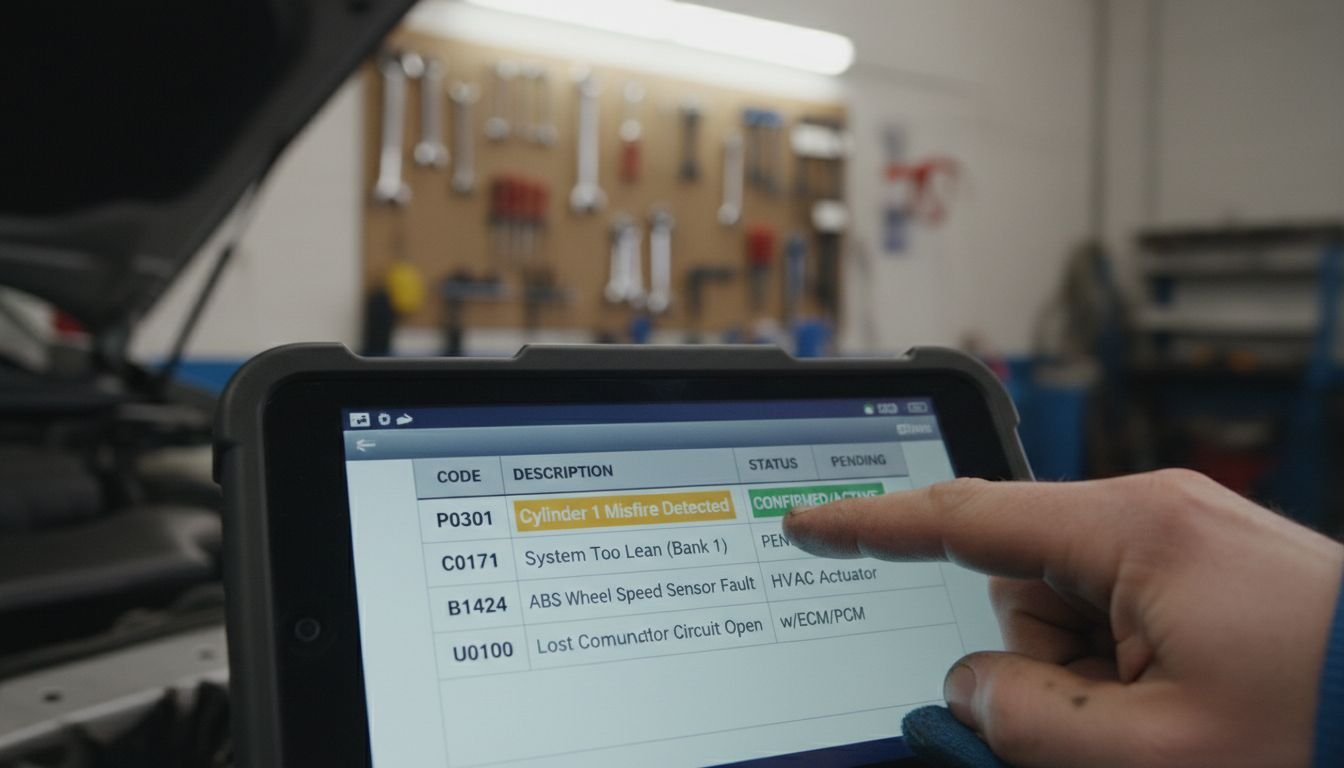
Here are some broad examples of what different Ford code categories tend to point toward. This is not a parts list — just typical directions.
Powertrain examples: misfire, EVAP, O2 sensor, and transmission-related faults
- Misfire (P030x) – Coil, plug, injector, compression, or wiring. Don’t assume it’s always the coil.
- EVAP (P044x/P045x) – Loose cap, leaking purge/vent valves, cracked hoses, tank/charcoal canister issues.
- O2 sensor/fuel trim (P013x/P015x/P0171/P0174) – Could be sensor failure, intake leaks, exhaust leaks, or fuel delivery problems.
- Transmission (P07xx) – Pressure control, solenoid, or internal issues; fluid quality and electrical checks come before major teardown on modern Fords.
Chassis examples: wheel speed sensor and steering-angle-related issues
C-codes often relate to:
- Wheel speed sensors and tone rings (common on trucks and SUVs run in rain and construction zones)
- Steering angle sensors after alignment or suspension work
- Yaw/acceleration sensors affecting traction and stability control
If your Ford shows steering-related chassis codes after an alignment, you may need a professional reset or ADAS Calibration. For more detail on that process, see this article on steering angle sensor reset after alignment.
Body and network examples including communication/U-codes
- B-codes – Door ajar switches, BCM faults, lighting circuits, interior features, and airbag/SRS components.
- U-codes – One module complaining it lost communication with another. Multiple U-codes at once often mean a power, ground, or wiring issue, not just a bad module.
When you see several modules flagging the same lost communication target, that’s a textbook case where a professional Vehicle Diagnostic session is worth it. A shop can trace power, ground, and network signals with proper equipment instead of guessing.
Why code definitions alone do not confirm the failed part
This point is critical: a code points to a circuit or condition, not a guaranteed failed component. For example:
- An O2 sensor code can be driven by an exhaust leak ahead of the sensor.
- A wheel speed sensor code might be caused by rusted tone rings or damaged wiring.
- A “module internal fault” code can also be triggered by low system voltage or poor grounds.
Replacing parts purely based on code descriptions is the easiest way to spend money without fixing the root cause.
Best Scanner and Adapter Categories for Ford Owners
If you’re choosing a Ford scan tool for home use, focus more on capability and safety than on flashy app designs.
Basic code reader for emissions-only faults
Use this level if:
- You just want to know why the check engine light Ford is on for emissions-only issues.
- You’re comfortable taking that information to a shop if it looks complex.
- You understand it will not show ABS, SRS, or body codes.
Ford-friendly enhanced adapters for deeper module access
Look for adapters that:
- Explicitly support Ford and HS-CAN/MS-CAN switching
- Are compatible with trusted software that can perform a full module scan
- Have good reviews for connection stability during long sessions
This level is ideal for DIYers who want serious insight into their Ford and are willing to invest time in learning proper diagnostic process.
Laptop/USB vs Bluetooth options
- USB/laptop – Often more stable for long or advanced sessions; less likely to drop connection during critical operations.
- Bluetooth – More convenient and portable, but dependent on your phone/tablet and can be more prone to interference.
For basic reading and data logging, Bluetooth is fine. For anything involving adaptation, configuration, or writing to modules, stability is more important than convenience.
Red flags with cheap clone adapters
Be cautious with very cheap, no-name adapters, especially those marketed as “advanced” but with vague specs:
- Unreliable HS-CAN/MS-CAN switching
- Frequent disconnections mid-scan
- Inability to access or correctly interpret Ford-specific modules
- Risk of corruption during module functions or programming attempts
On modern Fords, an unstable adapter used during a configuration or programming step can brick a module. That’s an expensive way to save a few dollars.
DIY Risks: When Ford OBD Scanning Can Go Wrong
Most of the real damage I see in the shop happens after someone buys a scanner, not before. Here are the big pitfalls to avoid.
Clearing codes without saving data
When you hit “clear all DTCs” without documenting them first, you erase the very clues a technician needs to help you. If the problem is intermittent or weather related (common in North Texas storms), reproducing it on demand can be difficult. Always save codes and freeze-frame data before clearing.
Misdiagnosing a symptom from a single code
Example: Your Ford throws an O2 sensor code. You replace the sensor, the light comes back, and now you’re frustrated. In reality, that code might have been reporting a lean condition caused by an intake leak or fuel delivery problem. This is why experienced techs use codes as clues, not final verdicts.
Using low-quality adapters during module functions
Any time your tool is writing to a module — resets, adaptations, configuration, or Module Programming — a low-quality adapter is a major risk. A dropped connection or power loss mid-write can corrupt data and kill a module. If you’re not sure your equipment can safely perform a function, don’t attempt it.
Safety warning for SRS-related faults and live systems
This deserves repeating: SRS systems use pyrotechnic (explosive) devices. Airbags and seatbelt pretensioners deploy with enough force to cause serious injury. Randomly unplugging connectors, probing with test lights, or swapping parts without proper procedure is dangerous.
When your Ford shows airbag or pretensioner codes, the safe path is to have the system evaluated professionally. Depending on the situation, that may involve SRS Airbag Module Reset, Mail-In Airbag Module Reset (after a crash with no structural damage), or Airbag Module Programming when components are replaced. These are not “try it and see” operations.
When to Schedule a Vehicle Diagnostic in Grapevine TX
DIY scanning is useful when it gives you direction and confirms simple issues. It crosses the line when safety or complex network issues are involved. Here’s when to call in a professional.
Repeated codes after reset
If a code comes back quickly after clearing — especially misfires, EVAP large leaks, or ABS faults — the system is telling you there’s a hard fault, not a glitch. That’s a good time to schedule a Vehicle Diagnostic in Grapevine TX so we can verify the actual cause instead of throwing more parts at it.
Network communication faults, module configuration issues, or programming needs
When your scan shows:
- Multiple U-codes across modules
- New modules that will not communicate or set configuration errors
- Cluster, BCM, or other modules that seem “dead” despite power and ground checking
you’re in shop-level territory. This is where we break out advanced equipment and Module Programming capability to bring everything back online safely.
ABS, steering, ADAS, or airbag warnings that should not be guessed at
Any time you see:
- ABS or stability lights after suspension, alignment, or brake work
- Steering angle or lane-keeping error messages
- ADAS camera or radar faults after windshield replacement or collision repair
- Airbag/SRS warning lights with B-codes for seatbelts, crash sensors, or frontal/side airbags
guessing is not an option. These systems protect you and your family when something goes wrong on I-635 or 121. Proper scans, ADAS Calibration where needed, and verified SRS operation are non-negotiable. For more detail on ADAS concerns, see our post on windshield replacement and ADAS calibration accuracy and this article on mid-summer ADAS calibration in Grapevine.
What a professional Vehicle Diagnostic can confirm that a basic scan cannot
With a professional Vehicle Diagnostic session in Grapevine or the surrounding DFW areas we serve, we can:
- Access all Ford modules, not just engine and transmission
- Run manufacturer-level tests and data logging
- Confirm whether a fault is sensor, wiring, module, or software related
- Perform necessary Module Programming and ADAS Calibration when required
- Safely handle SRS-related diagnosis, including airbag module decisions
The goal is not to sell you parts; it’s to identify the root cause so you can make an informed, safe repair decision for your Ford.
Ford OBD Scanning FAQ
1. What is ford obd scanning?
It’s the process of using a scan tool or adapter to communicate with your Ford’s control modules — not just the engine computer, but ABS, SRS, BCM, TCM, and others — to read fault codes, live data, and system status. True ford obd scanning goes beyond a generic emissions-only code pull.
2. Is Ford OBD scanning different from a regular OBD-II scan?
Yes. A regular OBD-II scan focuses on emissions-related P-codes from the engine and sometimes transmission. Ford-specific scanning includes enhanced access to other modules and networks (HS-CAN and MS-CAN), plus manufacturer-specific data and tests that basic readers can’t see.
3. Do I need a special scanner for Ford HS-CAN and MS-CAN systems?
For full coverage, yes. You need a Ford-friendly scan tool or adapter that supports HS-CAN and MS-CAN switching. Without that, you’ll miss many body, chassis, and network modules during your scan.
4. Can a basic code reader show ABS, airbag, and body control module faults on a Ford?
Usually not. Most inexpensive readers only access the PCM for generic P-codes. ABS, SRS/airbag, and BCM faults live in separate modules and require an enhanced Ford OBD-II scanner or professional-level tool to access.
5. What are the most common Ford fault codes?
Common patterns include P030x misfire codes, P0171/P0174 lean conditions, EVAP leak codes, C-codes for ABS wheel speed sensors, and B/U-codes for body and network issues. The exact codes vary by model and mileage, but these families show up frequently on Ford trucks and SUVs in North Texas.
6. When should I stop DIY scanning and schedule a Vehicle Diagnostic in Grapevine TX?
Stop DIY and schedule a Vehicle Diagnostic when codes repeatedly return after clearing, when you see multiple U-codes or module communication faults, or when ABS, steering, ADAS, or airbag warnings are involved. Those are shop-level issues where guessing can be unsafe or very expensive.
7. Can clearing Ford codes make diagnosis harder later?
Yes. Clearing codes erases freeze-frame and history data that can be critical for tracking intermittent faults. Always save or document codes and snapshots before clearing anything. If you end up in a shop later, that information helps us get you an accurate answer faster.
Final Takeaway: Start With Data, But Escalate Safely
A good Ford OBD-II scanner or enhanced adapter is a powerful tool, especially if you live in Grapevine TX and depend on your Ford for long DFW commutes, work, or towing. Just remember:
- Codes are clues, not verdicts — they point to systems and circuits, not guaranteed bad parts.
- Full module access matters — HS-CAN and MS-CAN support is key for modern Fords.
- Safety systems are not DIY playgrounds — ABS, SRS, steering, and ADAS issues deserve professional-level diagnostics.
If your DIY ford obd scanning is hitting a wall, codes keep returning, or warning lights involve brakes, steering, or airbags, it’s time for a professional Vehicle Diagnostic in Grapevine TX or the nearby DFW cities we serve. We can perform deep-level Ford-specific diagnostics, safe Module Programming, and any required ADAS Calibration so you know exactly what your vehicle needs — no guesswork, and no compromising safety.
Before you start, you can always confirm your exact Ford model and engine configuration with our VIN decoder so your scan data and repair decisions are based on the right information.


