 Skip to content

Cadillac U0416 — Causes, Diagnosis & How to Fix It
Direct answer: U0416 on a Cadillac means the vehicle’s control network received data it couldn’t trust from the Vehicle Dynamics Control (VDC) module — official name: “Invalid Data Received From Vehicle Dynamics Control Module.” Fixing it requires a proper scan, diagnosis of CAN/communication wiring or module, and often module programming or replacement and calibration.
Key Takeaways
- U0416 is a communication error: the VDC sent data the rest of the network marked invalid.
- Common causes: module firmware mismatch, CAN-bus faults, poor ground/connector, or a failing VDC/ABS module.
- Diagnose with a full OEM-level scan tool, CAN data capture, and step-by-step wiring and connector checks.
- Correct fixes are module programming, module replacement, or wiring/connector repair — sometimes ADAS recalibration is required.
- If traction control or ABS warnings are on, avoid high-speed driving and get a diagnostic check promptly.
What the code means in plain English
The stored code U0416 translates exactly to: “Invalid Data Received From Vehicle Dynamics Control Module.” In plain terms, one module (often ABS/VDC or ESC controller) is broadcasting values over the vehicle’s communication network (CAN bus) that other modules consider out of range, corrupted, or inconsistent with expected messages. Modern vehicles rely on several control modules sharing information — wheel speeds, yaw rate, steering angle, brake pressures — so when that stream looks wrong the vehicle logs U0416.
Common causes of Cadillac U0416
- Software/firmware mismatch after a module replacement or incomplete programming.
- Intermittent or permanent CAN-bus wiring fault (chafed wires, pinched harnesses, corroded terminals).
- Bad or loose ground(s) near the ABS/VDC module or battery negative terminal.
- Failing VDC/ABS module hardware — internal fault causing bad messages.
- Aftermarket modules or devices added to the network that cause bus errors or message collisions.
- Related sensors (wheel speed, yaw, steering angle) reporting impossible values that lead to inconsistent VDC output.
Symptoms you (the driver) will notice
- ABS, StabiliTrak, or traction control warning lamps illuminated.
- Reduced stability/traction control functionality — the system may be disabled.
- Occasional loss of communication with ABS/VDC module on a scan tool.
- Unusual braking behavior in rare cases (system intervention not occurring as expected).
- Sometimes no obvious drivability symptom beyond warning lights.
How a technician diagnoses U0416 — step by step
Diagnosing U0416 needs methodical checks with the right tools. Below is a practical, technician-level order of operations a shop or mobile technician will follow.
- Confirm the code and note freeze frame: Use an OEM-capable scan tool (GM GDS2, Tech2Win, or a high-end aftermarket scanner with GM definitions) to read U0416 and any associated codes. Save freeze-frame data and record CAN status messages.
- Check for related DTCs: Communication and sensor codes (U-codes or wheel speed sensor faults) commonly appear together. Those clues narrow the search to a sensor, harness, or the module itself.
- Visual inspection: Inspect ABS/VDC module harness, connector, and grounds for corrosion, water entry, or damage. Wiggle test connectors while monitoring live data to catch intermittent faults.
- Scan live CAN data: Look at wheel speed sensors, yaw rate, steering angle, and VDC outputs. Compare expected ranges — for example, steering angle should return to near zero when wheels are straight. Inconsistent or missing messages point to the message origin.
- Check power and grounds: Verify module supply voltages and ground integrity with a digital multimeter. Poor ground can cause corrupted messages even if the module is mechanically fine.
- CAN-bus physical checks: Measure CAN high/low voltages at the module connector (with key on engine off) to confirm proper differential levels, and scan for bus errors. An oscilloscope is helpful for observing noise or collisions on the bus.
- Isolate the fault: If wiring and bus look good, query other modules for their view of the VDC module. If other modules also report invalid data, the VDC module is a prime suspect.
- Software check: Confirm module software/calibration IDs. If a recent module replacement or software update occurred, reprogramming to the correct vehicle calibration often clears the code.
- Repair or replace: Based on the above, repair wiring/grounds, reprogram the module, or replace the VDC/ABS module. After any replacement or reflash, clear codes and perform required calibrations.
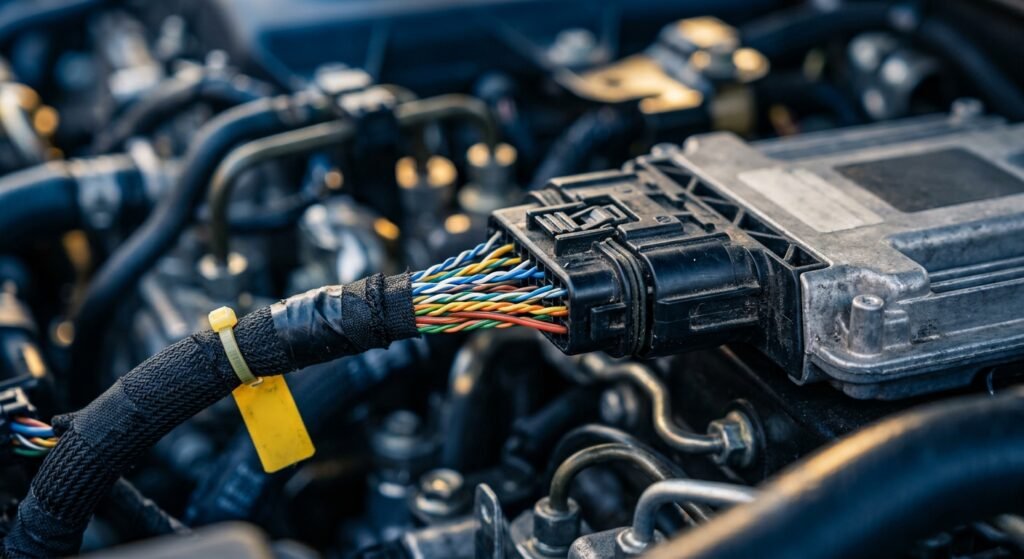
Table: Common causes, likely diagnostic step, and LockNCal service mapping
| Likely cause | Immediate diagnostic step | Typical fix | Related LockNCal service |
|---|---|---|---|
| CAN wiring fault / corroded connector | Inspect connectors; test CAN voltages and continuity | Repair harness/connectors, clear codes | Vehicle diagnostics (on-site mobile diagnostics) |
| Software mismatch after replacement | Check module calibration IDs with OEM scanner | Reprogram module with correct software | Module programming |
| Failing VDC/ABS module | Compare live data to other modules; bench test if available | Replace module and program new unit | Module programming + diagnostics |
| Steering angle or ADAS sensor mismatch | Verify sensor outputs and perform angle zeroing | Sensor calibration or ADAS recalibration | ADAS calibration |
When it’s safe (or not) to keep driving
U0416 itself is a communication fault — safety depends on which systems are affected. If ABS or StabiliTrak warnings are illuminated, stability and anti-lock braking may be degraded. Drive only if you must and at reduced speeds, avoiding wet or slippery conditions. If braking feels abnormal or multiple warning lights are on, tow the vehicle or have a mobile technician perform on-site diagnostics.
Why the correct fix is not guesswork
Because U0416 is a network/communication issue, guessing (for example swapping modules without programming) can leave a vehicle with persistent faults or mismatched software. Proper resolution often needs an OEM-level scan tool to confirm module IDs, reflash correct firmware, and perform post-programming calibrations. This is why a logical diagnostic sequence is far cheaper and safer than trial-and-error replacement.
How LockNCal can help
For Cadillac U0416 we typically route the job to module diagnostics and programming — we offer mobile module programming and on-site diagnostics, and we partner with ADAS specialists when recalibration is required. If the issue is wiring or connectors, a diagnostic visit will identify the exact failure so the proper repair (by a qualified shop) can be performed.
Book a diagnostic or programming visit on our module programming page and we’ll walk you through the required steps and next actions.
FAQ
Q: What exactly does U0416 mean?
A: U0416 means “Invalid Data Received From Vehicle Dynamics Control Module” — the vehicle received data from the VDC module that was out of range, corrupted, or inconsistent.
Q: Will clearing the code make it come back?
A: Clearing the code may temporarily remove the warning but it will return until the underlying cause (wiring, module, programming, or sensors) is fixed.
Q: Can LockNCal reprogram my VDC/ABS module?
A: Yes — LockNCal provides module programming and on-site diagnostics. We use OEM-capable processes to ensure the correct software and calibrations. See our module programming page for details.
Q: Does U0416 mean my ADAS sensors need calibration?
A: Not always. U0416 is a communication fault, but if the root cause is incorrect sensor values (steering angle, yaw, wheel speeds) then an ADAS calibration may be necessary. We offer mobile ADAS calibration services when required.
Q: Is it safe to drive with U0416?
A: If only the code is stored and no warning lights are on, short low-speed trips are usually OK. If ABS, StabiliTrak, or braking warnings are illuminated, avoid driving and get a diagnostic check.
Need help diagnosing a Cadillac U0416 code? Schedule a diagnostic appointment and let our technicians perform a full scan, CAN bus check, and module programming if needed. Book your slot at Schedule an appointment or call (469) 277-7277 for guidance.


